

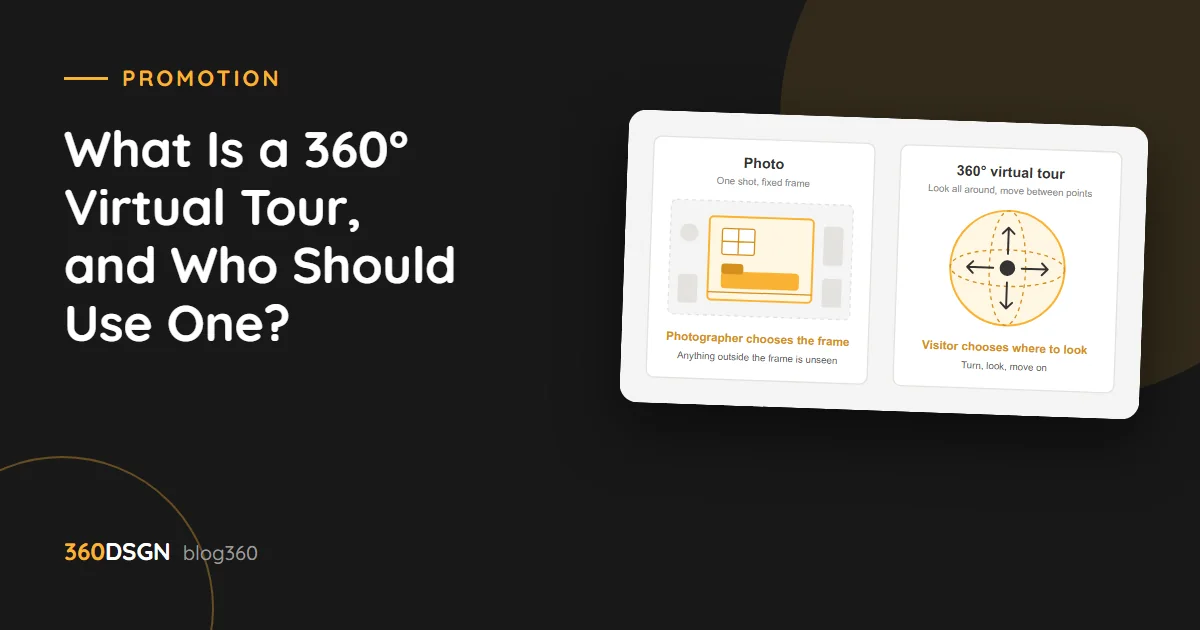
What is a 360° virtual tour, and who is it for? The short answer: a 360° virtual tour is a digital copy of a space, shot as photos you can look around in every direction and linked together so that visitors can walk through it on screen by themselves. The visitor steps inside from a phone or computer, looks around and moves from one area to the next. In this post we explain how a virtual tour differs from photography, who should use one, where it goes and how the shoot is done.
How is it different from a photo?
A photo shows the frame chosen by the person who took it. The photographer decides what goes in the shot. In a virtual tour the decision is the visitor’s: they turn right, look up at the ceiling, walk to the end of the corridor. The size of the space, how the areas sit in relation to one another and the overall layout are far easier to grasp than from individual shots.
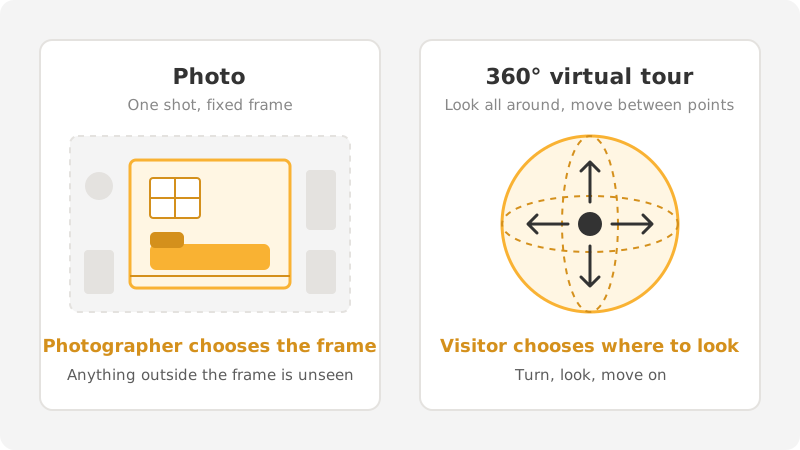
That doesn’t mean the virtual tour replaces photography. A well-shot photo of the space catches the eye and sparks curiosity; the virtual tour satisfies it. The two work together.
Who should use a virtual tour?
A virtual tour is useful for any place people want to see before they go:
- Hotels and guesthouses: rooms, lobby, pool, restaurant. Guests see where they will be staying before they book.
- Restaurants and cafés: dining room, garden, private area. Someone looking for a venue for a celebration or group meal can judge the seating layout and capacity with their own eyes.
- Real estate and construction: apartments for sale or rent, show apartments. People coming for a viewing know in advance what they will see.
- Showrooms and stores: furniture, automotive, building materials. Products are seen in the setting where they are displayed.
- Educational institutions: classrooms, labs, gym, dormitories. Parents and students can tour the campus even from another city.
The common thread is this: if people need to see the space before deciding and not everyone can come to your door, a virtual tour closes that distance.
Where does a virtual tour go?
Your Google Maps business profile
The 360° images can be added to your business profile on Google Maps. Someone who finds you on the map takes a look inside before asking for directions. Because the tour sits alongside the photos on your profile, there is no separate address to remember.
Your website
The tour is embedded on the relevant page of your site: the room page for a hotel, the listing page for real estate, the campus page for a school. Visitors explore without leaving the site. Info points can also be placed inside the tour: the name of the area, a short description, a link to the booking or contact page.
The same tour link can be shared on social media, in emails and in proposals. With a QR code, it can also go on a printed brochure or catalog.
How is the shoot done?
A virtual tour shoot moves through three stages: the point plan, preparation, and shooting and stitching.
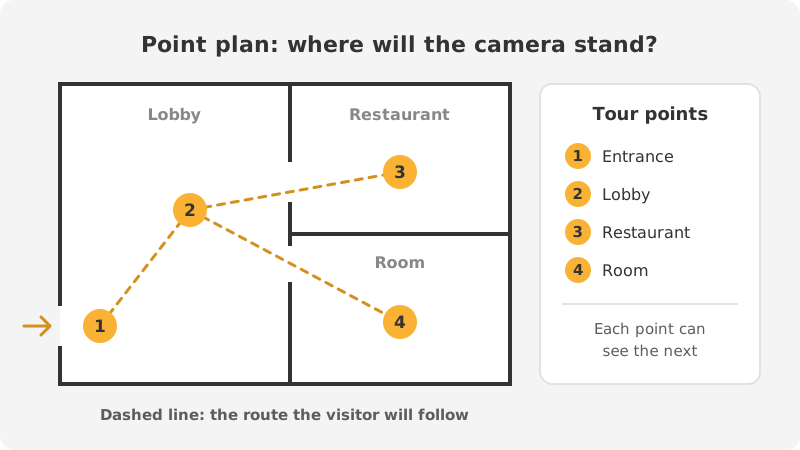
1. The point plan
First we walk through the space together and decide where the camera will stand. Each point is a spot where the visitor will stop and look around. The points are chosen so that each can see the next; that way the transitions feel natural and the visitor doesn’t get lost. A few points are enough for a small café. A large hotel needs separate points for each area.
2. Preparation
In a 360° shoot the camera sees in every direction; there is no corner to hide things in. So the space is prepared before the shoot:
- Tables, beds and shelves are tidied. Loose cables, cleaning supplies and personal belongings are put away.
- All the lights are switched on, dead bulbs are replaced, and the curtains are set the same way throughout.
- The shoot is scheduled for a time when the space is quiet. Permission is obtained from anyone who will appear in the shot.
3. Shooting and stitching
At each point the camera stays fixed on a tripod and records the entire surroundings. After the shoot, the images are stitched, color and light are balanced, and the points are linked to one another. If there is a garden, a beach or a large plot of land, aerial footage can be added to the tour too; the visitor sees the place from above first, then steps inside.
When should the tour be refreshed?
A virtual tour shows the space as it was on the day of the shoot. When you renovate, change the decor or open a new area, the affected points need to be reshot. There is no need to redo the whole tour; only the points that have changed are updated. What the visitor sees on screen and what they find when they walk through the door should be the same place.
In summary
A 360° virtual tour opens the door to anyone who wants to see your space before they come. A photo catches the eye; a virtual tour shows the space as it is. Once it is on your Google Maps profile and your website, the person researching you finds the answer they are after with their own eyes.
At 360DSGN, we handle virtual tour projects end to end, from the point plan to publication. For details, take a look at our 360° virtual tour page or contact us.